All Features

Everything inside Speklo

Record, transcribe, summarize, and act on every meeting. Here's the full breakdown of what Speklo does for product managers, engineers, and teams.

01

Capture every conversation

Meeting Recording & Import

A floating recorder sits on top of your apps during meetings, capturing both your microphone and system audio for any remote call — Zoom, Google Meet, Teams, or in-person. Already have a recording? Import MP3, WAV, M4A, FLAC, OGG, AAC, or WMA files directly. Set up a watch folder and new recordings are detected automatically.

  • Floating recorder with real-time audio level visualization
  • System audio + microphone capture for remote calls
  • Import audio files: MP3, WAV, M4A, FLAC, OGG, AAC, WMA
  • Watch folder for automatic recording detection
  • Auto-match recordings to Google Calendar events
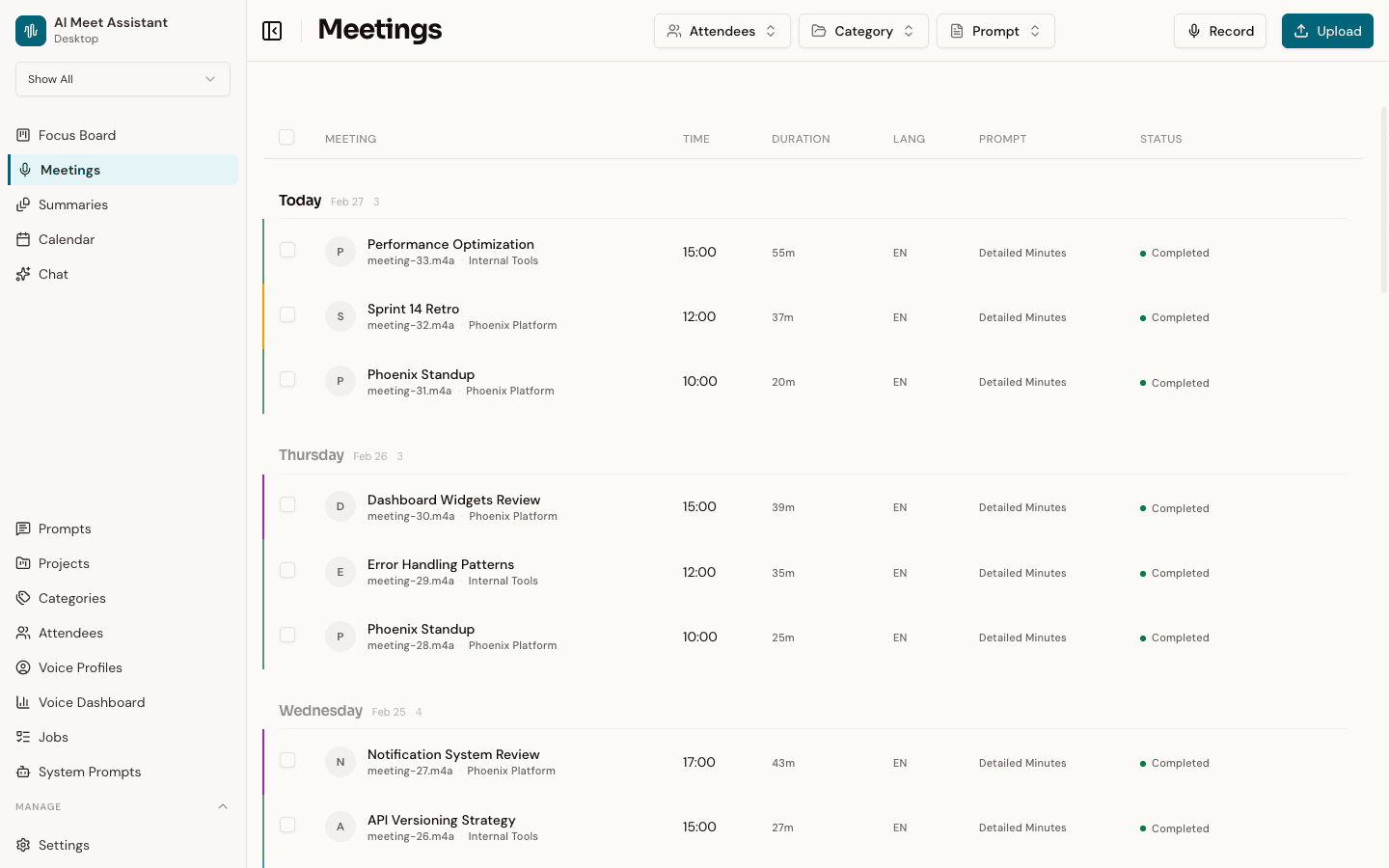
Speklo meetings page showing a list of recorded meetings grouped by day with attendees, categories, and processing status
02

Structured insights in minutes

AI-Powered Summaries

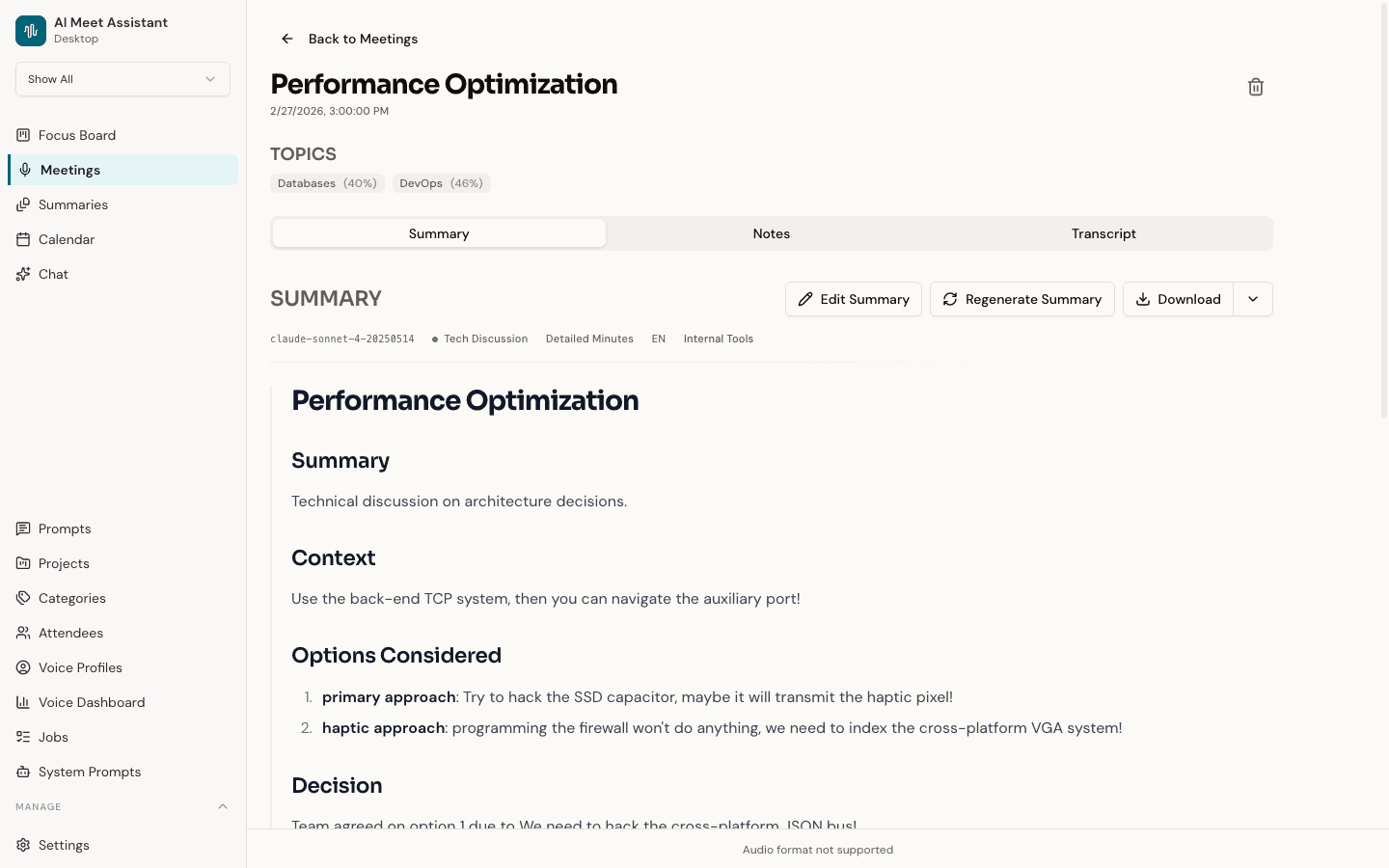
Every meeting gets a structured AI summary — decisions, action items, key topics, and follow-ups extracted automatically. View summaries in a rich text editor, edit inline, reassign categories, regenerate with different prompt templates, and export as Markdown, PDF, or clipboard copy.

  • Decisions and action items extracted automatically
  • Rich text editor — edit summaries inline
  • Custom prompt templates per category or event
  • Export as Markdown, PDF, or clipboard
  • Full speaker-labeled transcript with audio playback
Speklo meeting detail view showing an AI-generated summary with decisions, action items, and key topics
03

From conversation to action

Focus Board

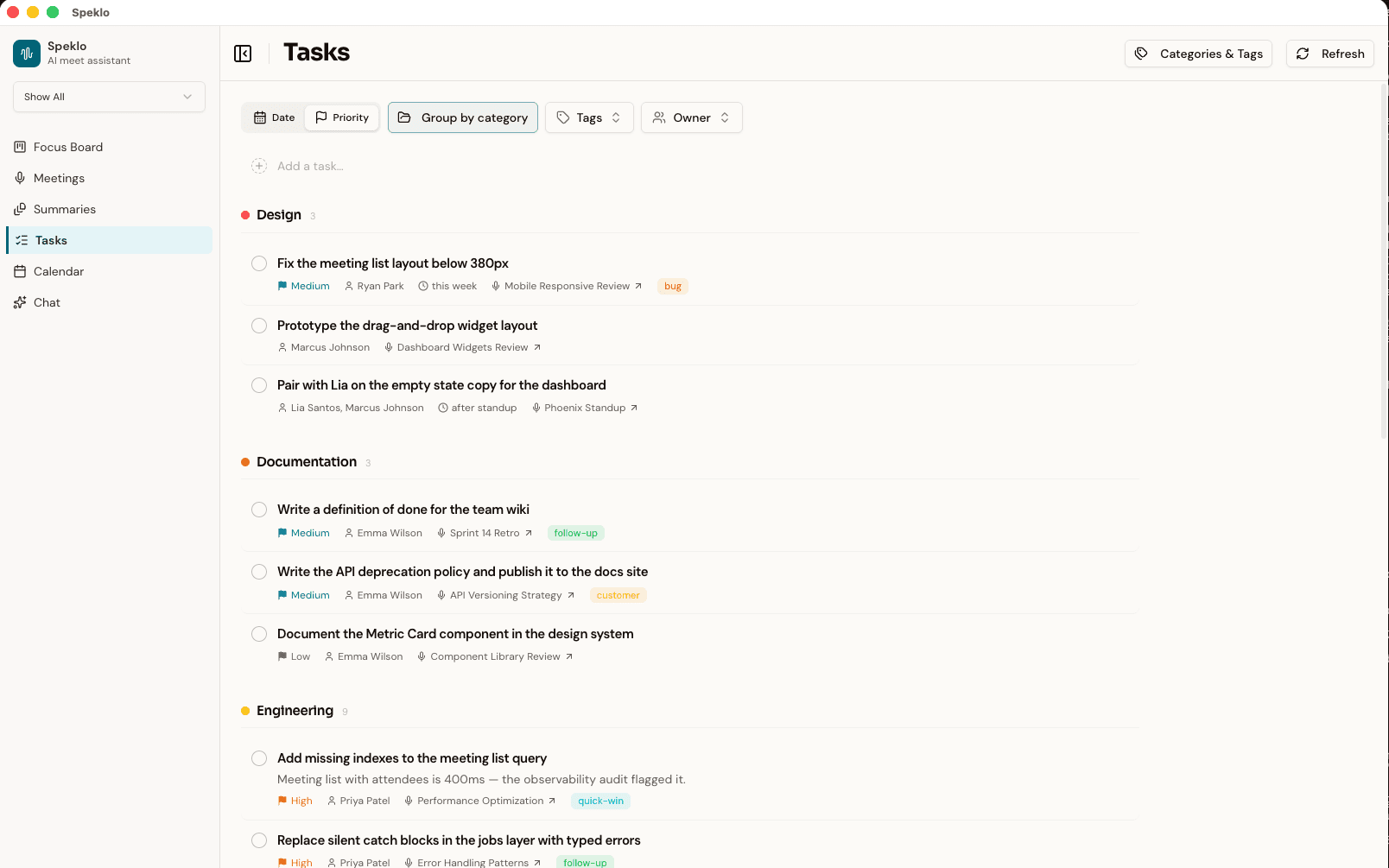
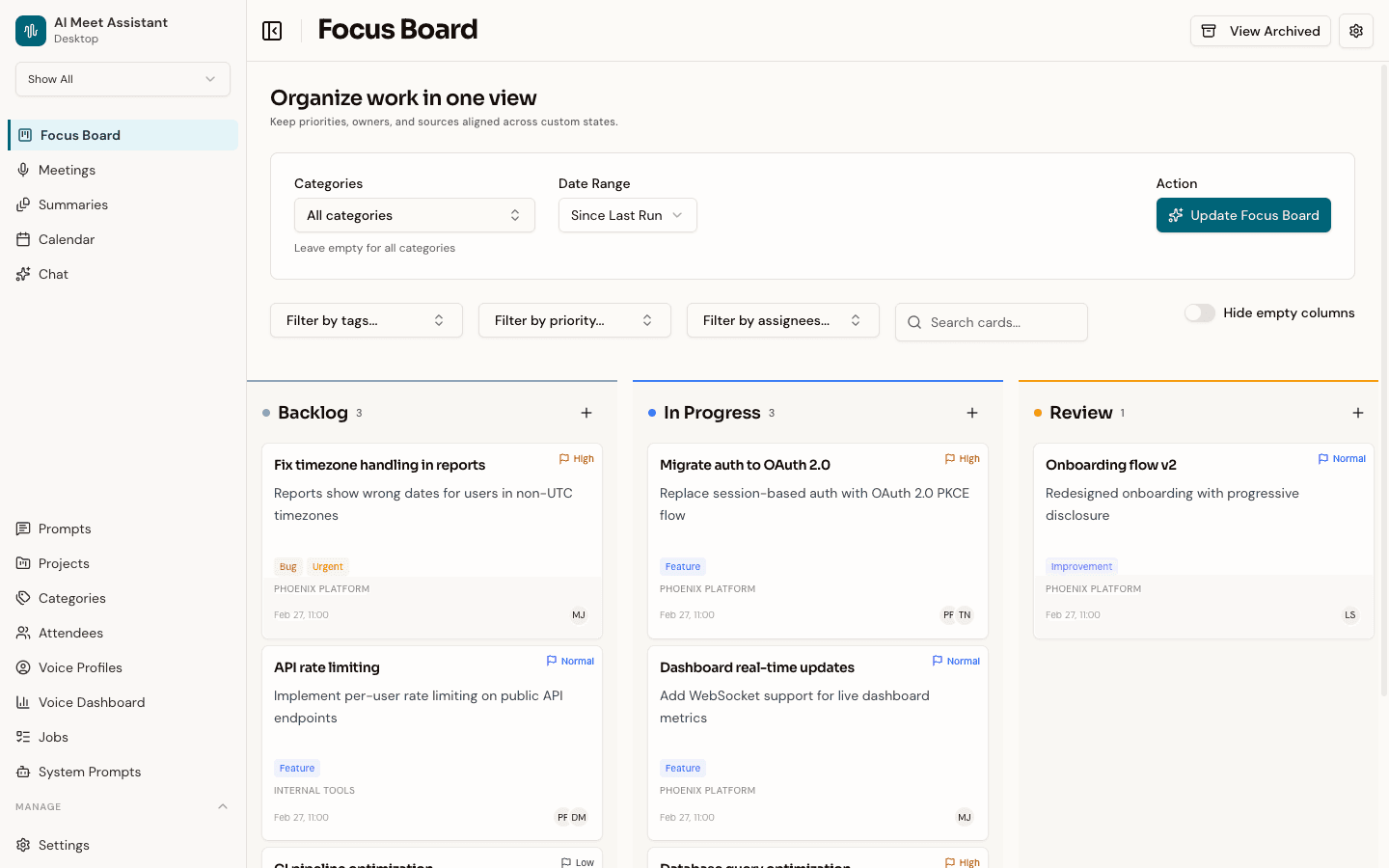
A kanban board that turns meeting content into structured work items. Select meetings and the AI reads through summaries or transcripts to create cards — tasks, action items, decisions, follow-ups — placing them into your workflow columns. Existing cards for the same topic get updated, not duplicated.

  • AI extracts tasks, decisions, and follow-ups into cards
  • Drag-and-drop kanban with custom workflow columns
  • Filter by tag, priority, assignee, or text search
  • Card detail with sources, context, and attachments
  • AI spec generator — point at your codebase for implementation specs
Speklo Focus Board showing a kanban view with cards organized by workflow state, each with priority flags and assignees
04

Instant answers from your history

Chat With Your Meetings

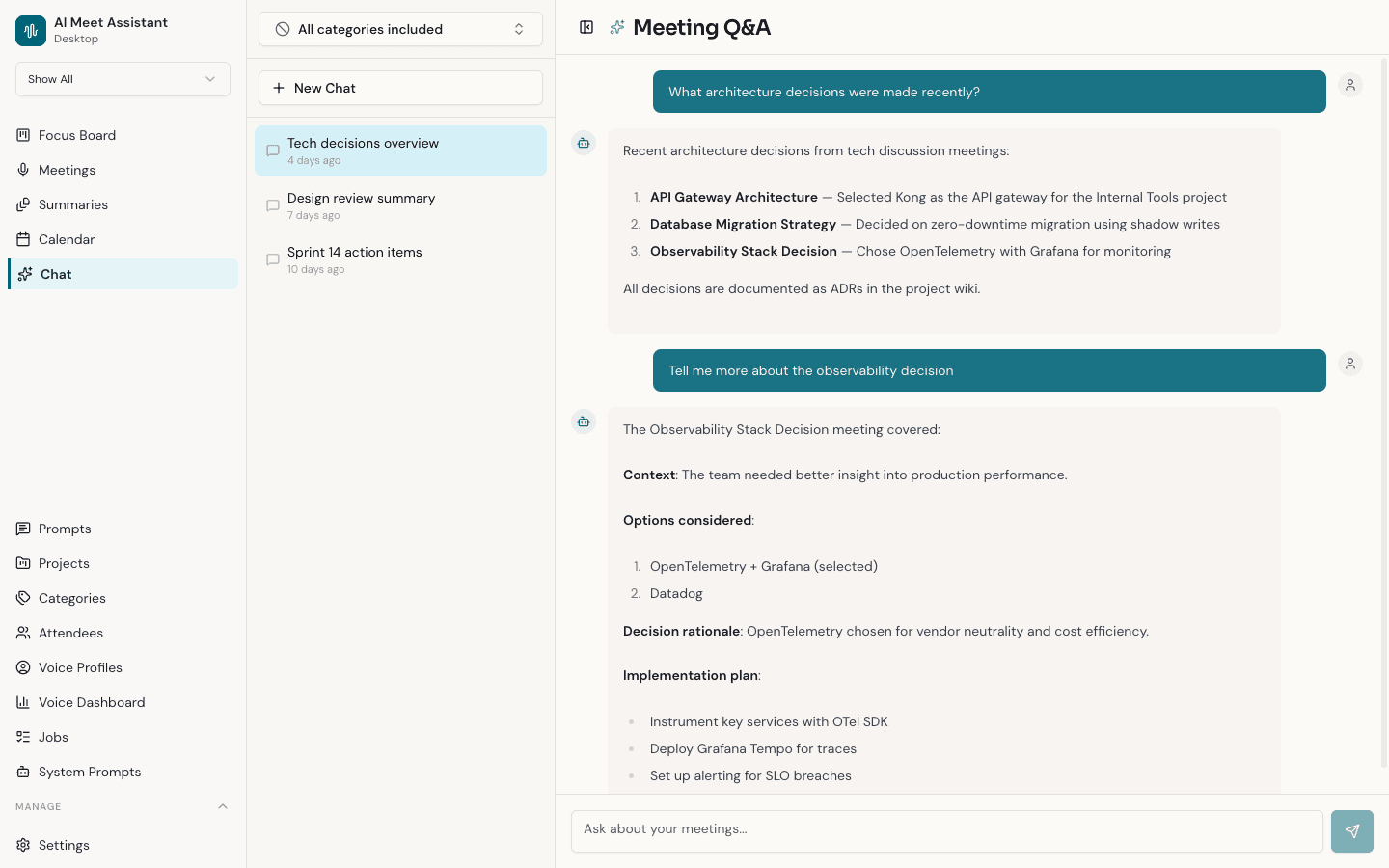
Ask questions about past meetings using natural language and get instant answers with source citations. "What did we decide about the Q3 roadmap?" — answered in seconds with exact transcript references. Conversations are persisted so you can continue threads or start fresh.

  • Natural language questions across your entire meeting history
  • Answers cite exact transcript moments
  • Persistent conversation threads
  • Filter categories from the knowledge base
  • Sample questions to get you started
Speklo chat interface showing a natural language question being answered with cited transcript excerpts
05

Know who said what

Speaker Recognition

Speklo identifies speakers during transcription using audio fingerprints and learns from your corrections over time. Every transcript is attributed to the right person — so action items land with the right owner. Voice profiles build automatically as you review and correct speaker assignments.

  • Automatic speaker identification via audio fingerprints
  • Voice profiles improve with each correction
  • Quality tiers: High / Medium / Low based on sample count
  • Voice dashboard with accuracy metrics and confidence distribution
  • Correct mistakes in the Speaker Mapping dialog
Speklo voice dashboard showing speaker recognition accuracy, voice profiles, and recent correction history
06

Patterns across weeks of meetings

Cross-Meeting Insights

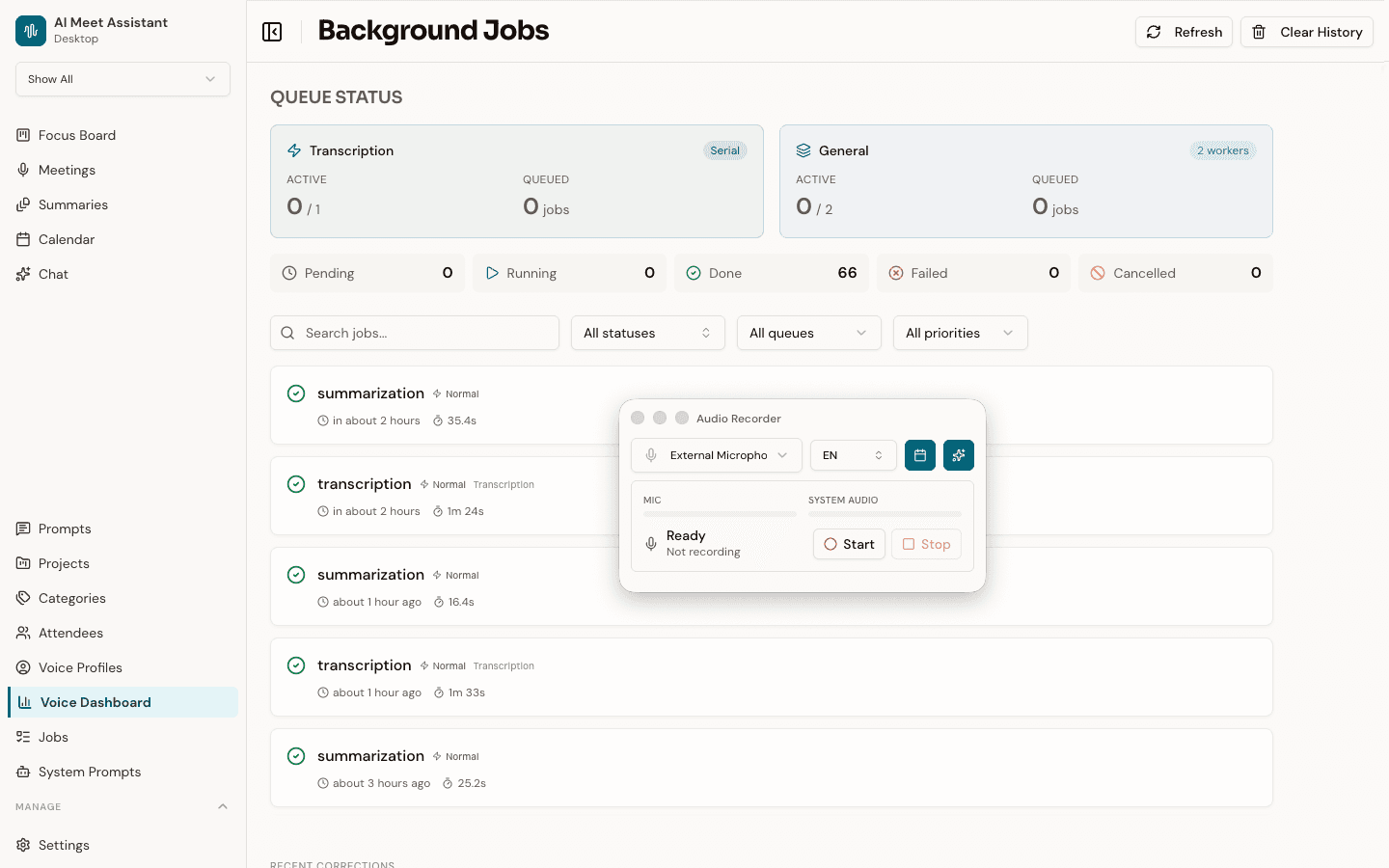
Synthesize insights across multiple meetings into a single document. Select meetings, write custom instructions — like "summarize all decisions about the product roadmap" — choose an AI model, and get a cross-meeting summary. Export as Markdown, PDF, or clipboard.

  • Select multiple meetings for synthesis
  • Custom instructions for targeted analysis
  • Real-time processing status
  • Export as Markdown, PDF, or clipboard
  • Retry failed generation with different models
Speklo cross-meeting summaries showing a synthesized document combining insights from multiple meetings
07

Always accessible, never intrusive

Floating Recorder

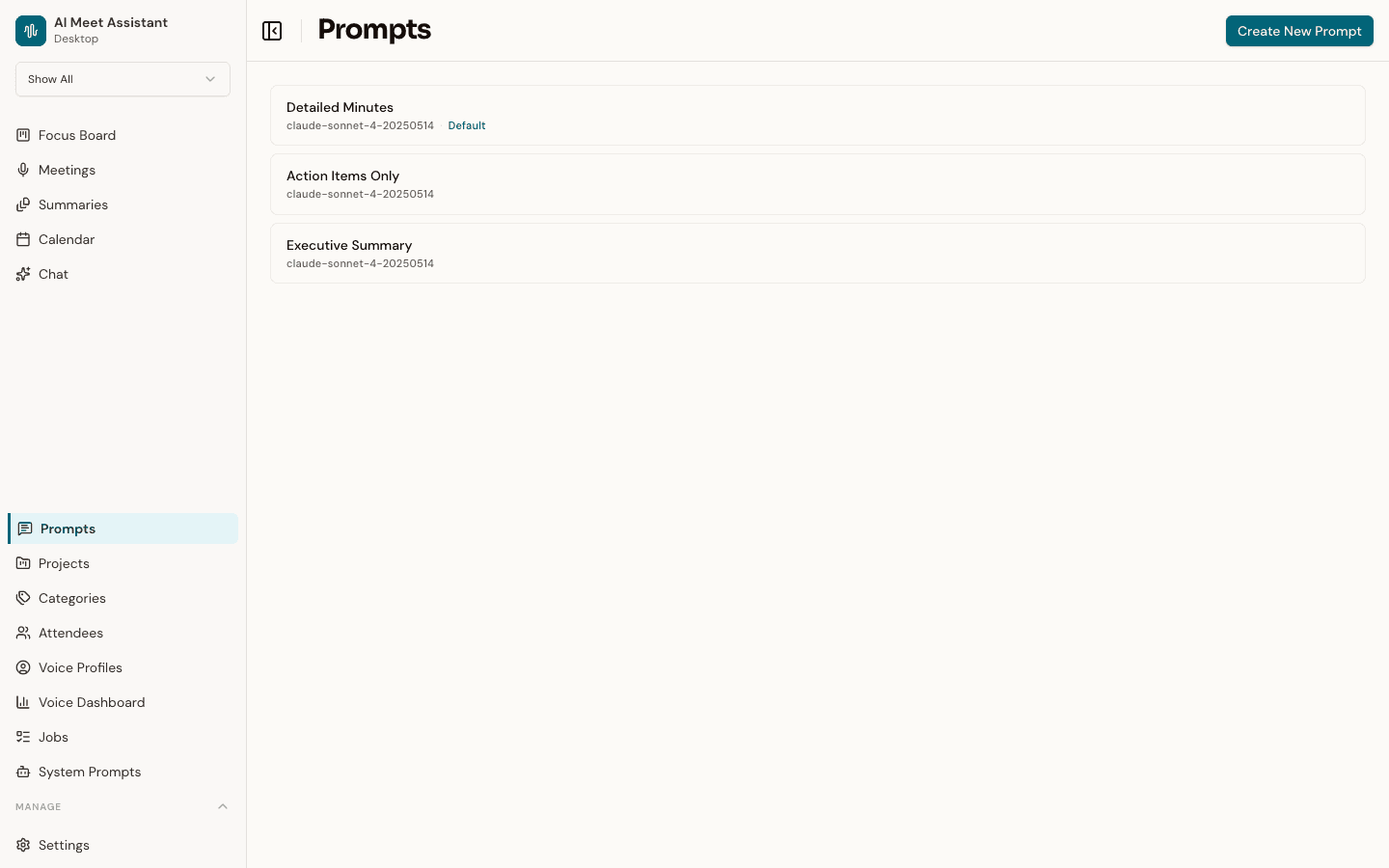
The floating recorder window stays on top of your other apps during meetings. Choose your microphone, language, and calendar matching before you start. A real-time audio level visualizer confirms your mic and system audio are being captured. Stop recording and the app processes in the background — you can close the recorder and keep working.

  • Always-on-top overlay during meetings
  • Select microphone and spoken language
  • Real-time audio level visualizer for mic and system audio
  • Auto-match to current Google Calendar event
  • Background processing after you stop recording
Speklo floating recorder overlay showing microphone selection, language options, and real-time audio level visualization
08

Your AI, your rules

Custom Prompt Templates

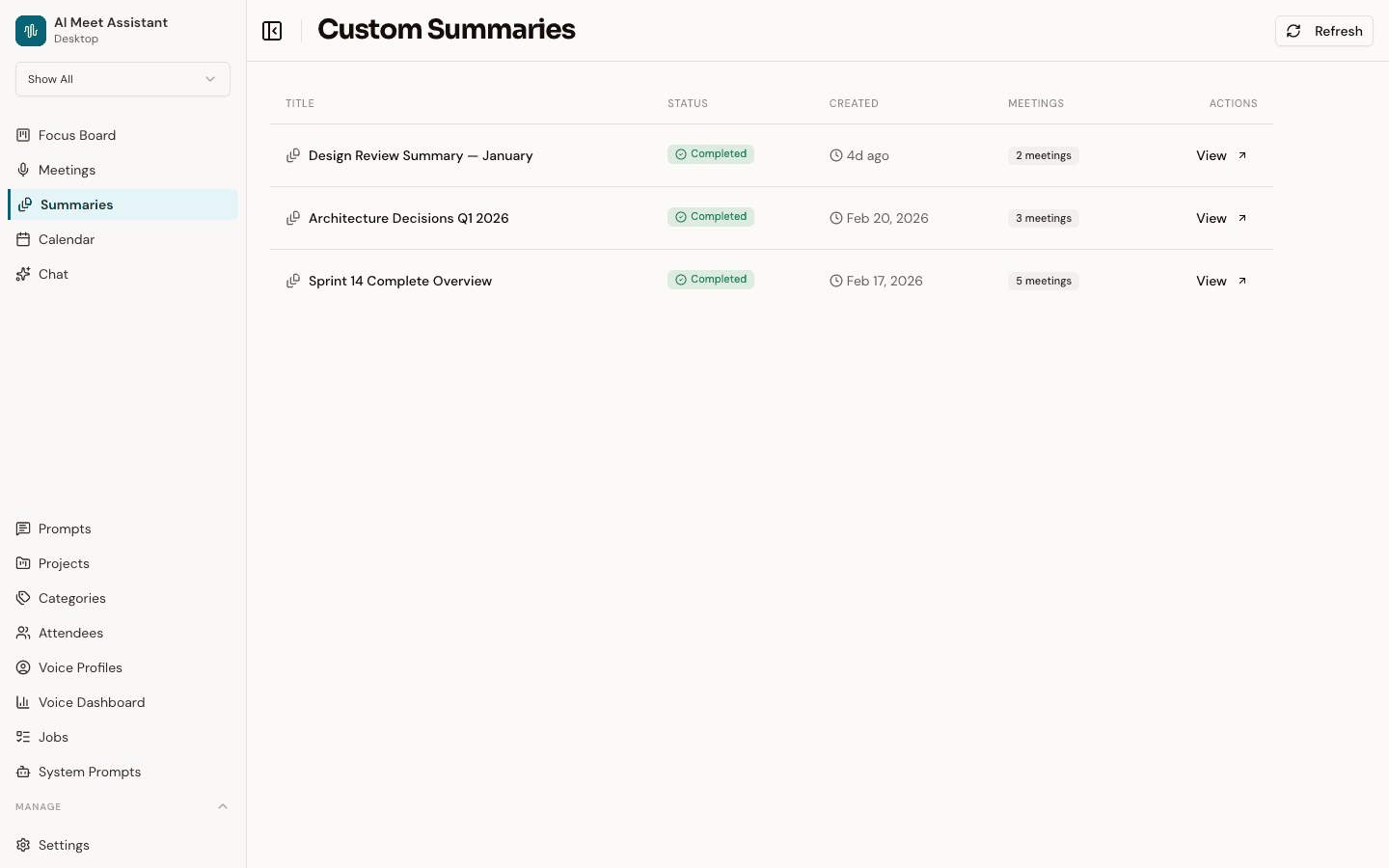
Control exactly how the AI summarizes your meetings. Create custom prompt templates with different AI models, set one as default, and override per-category or per-calendar event. Advanced users can edit the raw system prompts driving all AI behavior across Chat, Meetings, Speakers, and Focus Board.

  • Named prompt templates with model selection
  • Default template with per-category overrides
  • Raw system prompt editing for advanced users
  • Template variable validation
  • Reset individual or all prompts to defaults
Speklo prompt template editor showing custom prompt configuration with AI model selection
The Pipeline

How it all connects

From raw audio to structured action — every piece feeds the next.

Record

Capture audio

Transcribe

Speaker-labeled text

Summarize

AI-structured insights

Focus Board

Tasks & action items

Chat

Ask anything

Get Started

Ready to capture every decision?

Download Speklo free for macOS. No account required, no subscription, no data leaves your machine.

macOS 13+ · Apple Silicon & Intel · Free forever